Fix Mac Outlook Lag
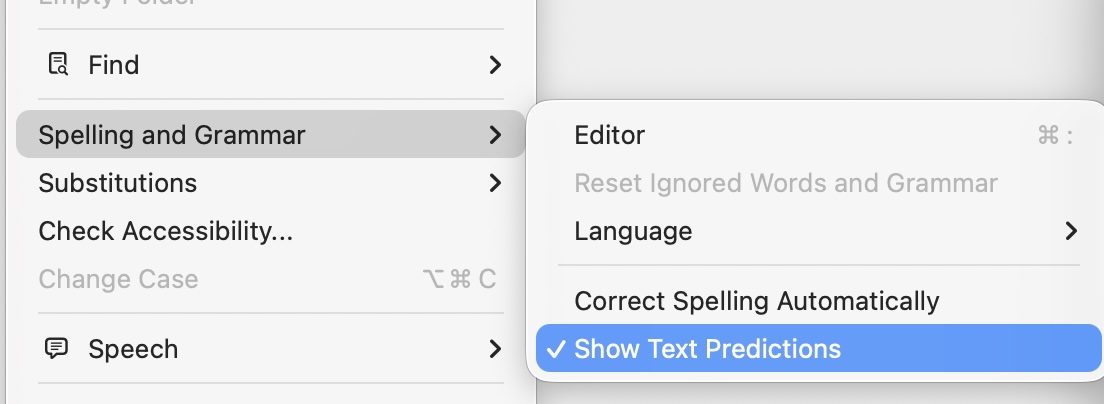
If Outlook on macOS feels laggy while typing, this is usually the fix: turn off Predictive Text.
It is hidden in the UI, but takes 10 seconds:
- Open a new email in Outlook.
- Click into the message body.
- Go to Edit > Spelling and Grammar.
- Uncheck Predictive Text.
- If the option is grayed out, click back into the email body and try again.